How to Prepare Logo Artwork for Custom Drumsticks
Good artwork for custom drumsticks is simple, high-contrast and built for a long, narrow, round surface. Get Custom Drumsticks works best from a vector logo (AI, EPS, SVG or PDF), a short line of text, and colors that read against bare wood. Send what you have, and the team returns a free mockup within 24 hours so you can fix layout before anything is printed.
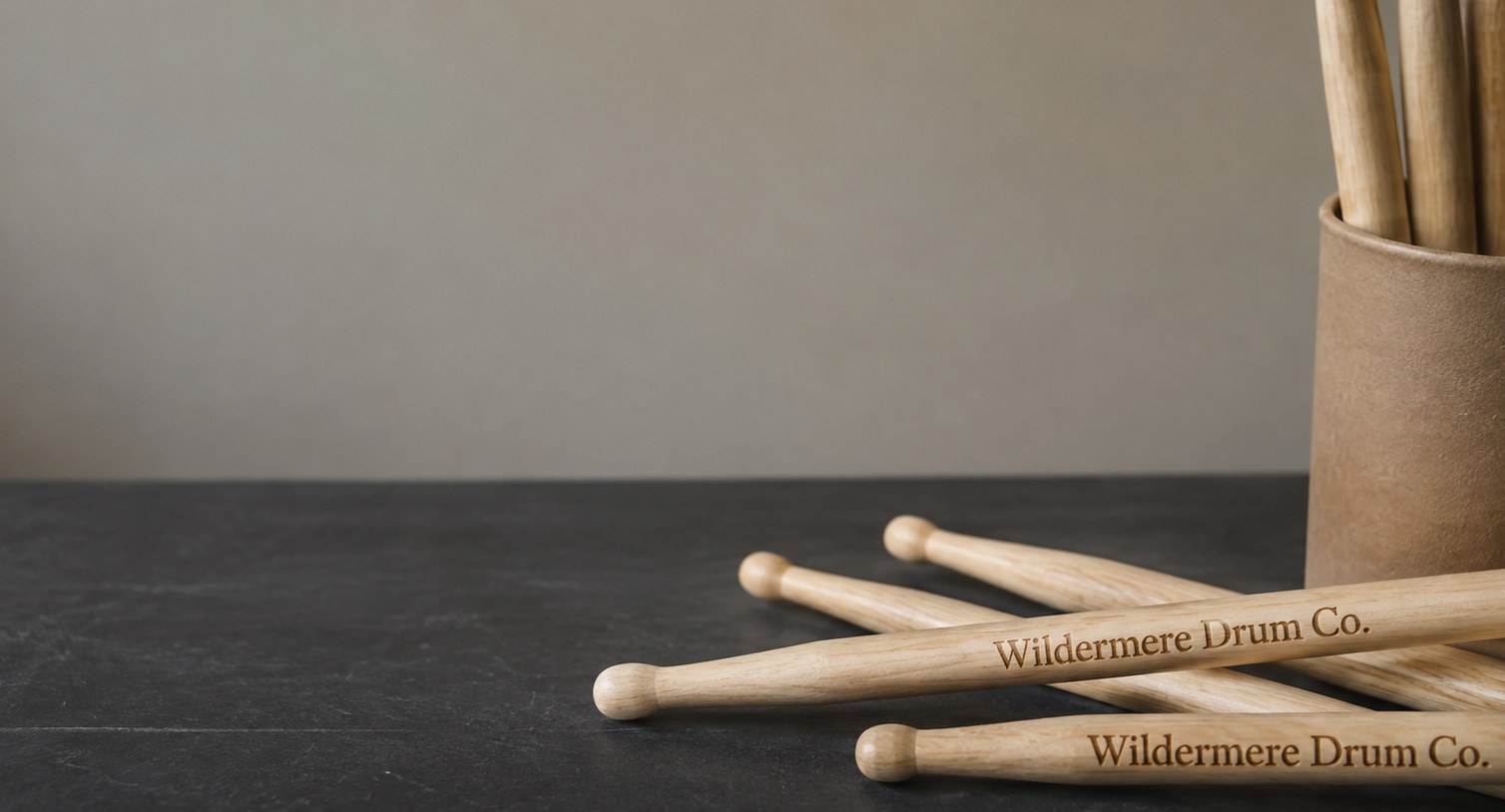
- Vector files (AI, EPS, SVG, PDF) give the cleanest edges on a drumstick shaft
- Wide, horizontal logos fit the shaft better than tall, stacked ones
- Free mockup within 24 hours, with unlimited free revisions
- Minimum order is 12 pairs; standard turnaround is about 2 weeks after approval
- Pay nothing until you approve the design
What logo file works best for custom drumsticks?
A vector file is the best artwork for custom drumsticks. Vector formats such as AI, EPS, SVG and a vector PDF are built from lines and curves rather than pixels, so the logo stays crisp when it is scaled down to fit a drumstick shaft. Laser engraving and printing both trace those clean edges, which is why fine lettering survives on a vector file and turns fuzzy on a low-resolution image.
If you do not have a vector file, send the best version you can find:
- Ask your designer or printer first. Whoever made your shirts, banner or website usually has the original vector logo.
- A large, sharp PNG is the next best option. Use the biggest file you have with a transparent background, not a screenshot from social media.
- Avoid photos of a printed logo. A picture of a sticker or a shirt adds shadows, angle and texture that end up in the art.
Get Custom Drumsticks reviews every file before the mockup goes out. If a logo needs to be cleaned up or redrawn to work on a stick, the mockup shows exactly what will be printed, so nothing changes without you seeing it first.
How should a design be laid out on a round drumstick shaft?
A design on custom drumsticks should run along the length of the shaft, not around it. A drumstick is long, narrow and round, so the readable face of the stick is a thin strip. Wide logos and single lines of text fit that strip naturally, while tall or stacked logos have to shrink until the details disappear.
Practical layout rules that hold up on almost every order:
- Use the horizontal version of your logo. Many brands have a stacked version and a wide version; the wide one almost always wins on drumsticks.
- Keep text to one line. A band name, a school name or a short slogan reads cleanly. Two lines of small type crowd the shaft.
- Stay away from the tip and the butt end. The middle of the shaft is the most visible part when the drumsticks sit on a merch table or in a stick bag, and it sees less wear than the striking area.
- Think about both sides. A second imprint on the opposite side can carry a website, a tour name or an event, so the front stays uncluttered.
The mockup from Get Custom Drumsticks shows the artwork placed on the actual stick style you chose, so you can judge scale and position before approving anything.
Which colors read best on custom drumsticks?
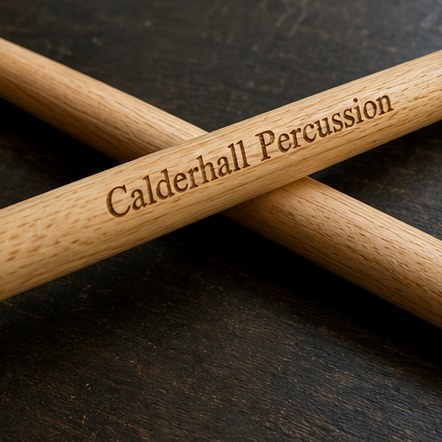
High contrast reads best on custom drumsticks. Dark ink on a natural or light wood finish is the safest choice, and light or metallic ink works well on darker sticks. Because the imprint area is narrow, color contrast does more for legibility than size does.
A few color decisions to make before you send artwork:
- Match the ink to the wood. Maple drumsticks are pale, so most ink colors show clearly. Hickory drumsticks and oak drumsticks have more grain and warmer tones, so very light or yellow inks can fade into the wood.
- Simplify gradients. Soft color fades and drop shadows rarely survive on a small round surface. A flat, solid version of the logo prints cleaner.
- Plan for engraving to be tone-on-tone. Laser-engraved drumsticks do not use ink at all. The laser darkens the wood itself, so the result is a single burned tone, and fine color details in the logo become one shade.
If your brand colors are important, say so on the quote form. Get Custom Drumsticks can show the closest practical match on the mockup and point out where a color will be hard to see against a particular wood.
Does engraving or printing change what artwork you need?
Engraving and printing each favor slightly different artwork on custom drumsticks. Both start from the same logo file, but each method has strengths that shape how the final design should look.
| Artwork detail | Laser engraving | Printing |
|---|---|---|
| Logo colors | Becomes one burned tone | Can carry brand colors |
| Thin lines and small type | Works if the vector is clean | Works if contrast is strong |
| Gradients and shadows | Lost; use a solid version | Best simplified to flat color |
| Feel on the stick | Part of the wood surface | Sits on top of the finish |
| Best fit | Premium gifts, awards, clean wordmarks | Colorful logos, team and band branding |
A simple rule: if the logo depends on color to be recognized, choose printing. If the logo is a strong shape or a clean wordmark, engraving gives a premium look that ties the brand to the wood. Get Custom Drumsticks can mock up both on the same order so you can compare them side by side before choosing.
Can each pair of custom drumsticks carry a different name?
Many buyers want custom drumsticks with a shared logo plus a variable line, such as each drummer’s name, a section, a year or a jersey number. Personalization like this is a common request for drumlines, school ensembles and gift orders, and the artwork step is where it gets set up.
To keep a personalized run clean:
- Send the shared design once. The logo and any fixed text stay identical on every pair.
- Send the variable names as a simple list. A spreadsheet or a plain text list with one name per row, spelled exactly as it should appear, prevents typing errors.
- Keep names short and consistent. Decide on first names only, last names only or full names, and use the same format for everyone so the layout stays even.
- Check the list against the mockup. Review spelling on the proof, because what you approve is what gets produced.
Ask about personalization on the quote form so Get Custom Drumsticks can confirm how it works with the stick style and decoration method you have in mind. For drumline orders, the marching and practice sticks page covers the heavier styles most sections use.
How do you read and approve a drumstick mockup?
A drumstick mockup is a preview of your custom drumsticks with the artwork placed on the chosen stick, and approving it is the last step before production. Get Custom Drumsticks sends the mockup free within 24 hours, offers unlimited free revisions, and asks for no payment until you approve the design.
Read every mockup against this short list:
- Spelling and punctuation. Check names, slogans and website addresses letter by letter.
- Scale. Make sure the smallest text is still readable on a narrow shaft.
- Position. Confirm which side carries the main logo and where any second imprint sits.
- Color and method. Confirm the ink color, or that the stick is engraved, and that it suits the wood.
- Stick style. Confirm the wood and tip, such as wood tips or nylon-tip drumsticks, match what you meant to order.
Ask for a revision whenever something looks off; revisions are free and fast. Once approved, standard turnaround is about 2 weeks, with faster delivery available through express shipping. The how it works page walks through each step from quote to delivery.
What artwork mistakes slow down a drumstick order?
Most delays on custom drumsticks come from artwork that was not built for a small, round surface. None of these mistakes are expensive to fix, but each one adds a revision round if it is caught late.
- Sending a tiny or blurry file. A logo pulled from an email signature or a social profile is usually too small to reproduce sharply.
- Using a tall, stacked logo. Stacked logos shrink to fit the shaft width and lose detail. Send the horizontal version if you have one.
- Packing in too much text. A logo, a slogan, a website and a date on one side of a drumstick competes for the same thin strip. Pick the most important line and move the rest to the second side.
- Forgetting fonts. If text in your file uses a font that is not embedded or outlined, the letters may change. Converting text to outlines, or sending the font name, avoids surprises.
- Approving too fast. A quick glance at a mockup can miss a misspelled name. Read it slowly, or have a second person check it.
Starting with the right file and a clear layout means the first mockup is often the last. With a minimum order of only 12 pairs, a small test run is also an easy way to see the artwork on real drumsticks before a larger order.
Frequently asked questions
Can I send a hand-drawn sketch as artwork for custom drumsticks?
Custom drumsticks can start from a hand-drawn sketch, but the sketch usually needs to be cleaned up or redrawn as clean artwork before it can be printed or engraved sharply on a narrow shaft. Send a clear, well-lit scan rather than a phone photo at an angle. Get Custom Drumsticks shows the cleaned-up version on the free mockup so you can approve or revise it before production.
What is a vector file and why does it matter for drumstick artwork?
A vector file describes a logo with lines and curves instead of pixels, which matters for drumstick artwork because the design must shrink to fit a thin, round shaft. Common vector formats are AI, EPS, SVG and a vector PDF. Vector art keeps edges sharp at any size, so small lettering on custom drumsticks stays crisp instead of turning soft or jagged.
Can custom drumsticks have a logo on one side and text on the other?
Custom drumsticks can carry a logo on one side and a line of text on the opposite side, which is often the cleanest way to fit more information onto a narrow shaft. A common split is the logo on the front and a website, tour name or event on the back. Mention the second imprint on the quote form so Get Custom Drumsticks includes it on the mockup.
Will my brand colors match exactly on printed drumsticks?
Printed drumsticks can come very close to brand colors, but the wood underneath affects how ink looks, especially on warmer woods with visible grain. Lighter inks can appear softer on darker sticks. If an exact match matters, list your brand colors when you request a quote, and Get Custom Drumsticks will flag any color that may be hard to read on your chosen wood.
Should I outline the fonts in my drumstick artwork file?
Drumstick artwork files should have fonts converted to outlines or embedded, so the lettering appears exactly as you designed it. If a font is missing on the production side, the software may swap in a different typeface and change the look of your custom drumsticks. When outlining is not possible, include the font name with your file so it can be matched.
How small can text be on custom drumsticks?
Text on custom drumsticks needs to be large and simple enough to read on a thin, curved surface, so very fine type and script fonts with delicate strokes are the riskiest choices. Bold, clean lettering holds up best. Rather than guessing a size, send your artwork and review the free mockup, which shows the real scale of every line on the stick.
Can a photo or detailed illustration be put on custom drumsticks?
Custom drumsticks are best suited to logos, wordmarks and simple graphics rather than photos or highly detailed illustrations. A drumstick shaft is narrow and round, so fine shading and small details tend to blur together. If your design includes a detailed image, Get Custom Drumsticks can suggest a simplified version on the mockup that keeps the idea recognizable on the stick.
Is laser engraving a good choice for a multicolor logo on drumsticks?
Laser engraving turns a multicolor logo into a single burned tone on drumsticks, because the laser darkens the wood rather than adding ink. That works well when the logo has a strong shape, but colors that distinguish parts of the design will disappear. For logos that depend on color, printed custom drumsticks are usually the better fit, and both can be mocked up.
How do I send a list of names for personalized drumsticks?
Personalized drumsticks are easiest to produce from a simple spreadsheet or plain text list with one name per row, spelled exactly as it should appear. Use one consistent format, such as first names only, for the whole group. Get Custom Drumsticks places the names on the mockup so you can check spelling before production, since the approved proof is what gets made.
Do I pay for drumstick artwork changes after seeing the mockup?
Drumstick artwork changes after the mockup are free, with unlimited revisions until the design looks right. Get Custom Drumsticks sends the first mockup within 24 hours and asks for no payment until you approve the final design. That makes it easy to try a different layout, swap ink colors or compare engraving with printing on your custom drumsticks before committing.
Can I order a small batch of custom drumsticks to test my artwork?
Custom drumsticks have a minimum order of 12 pairs, which makes a small test batch a practical way to see artwork on real sticks before a larger run. A test order shows how the logo, ink color and wood work together in hand. Standard turnaround is about 2 weeks after approval, so plan the test early if a bigger order depends on it.
Get a free mockup for your drumsticks
Send your logo or idea and the quantity you have in mind. Get Custom Drumsticks returns a free mockup within 24 hours, you approve the design before anything is produced, and standard turnaround is about two weeks with faster options available. Get a custom quote.